



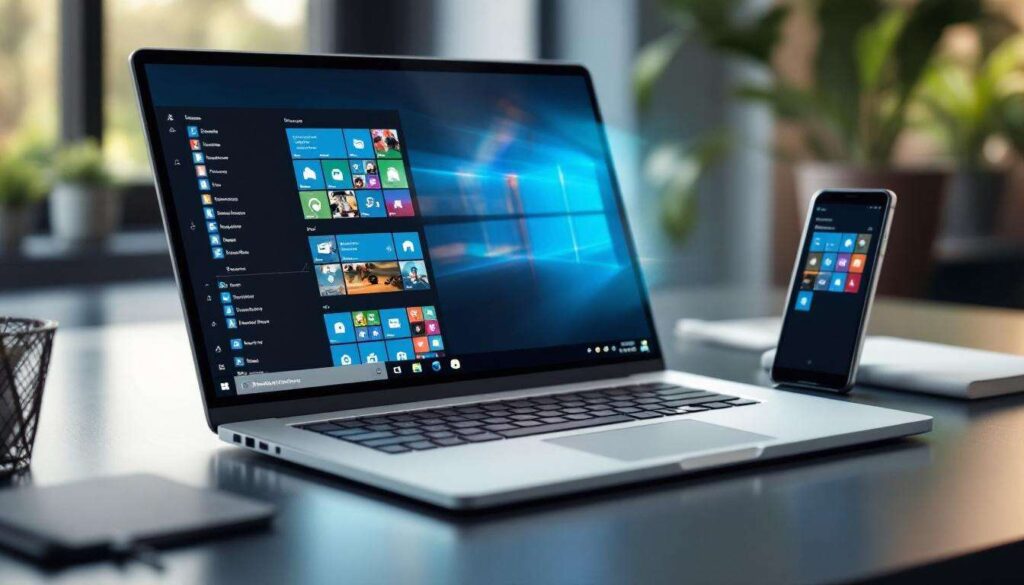
Microsoft’s ambitious integration of Android applications into the Windows operating system represents a significant shift in how users interact with mobile content on their desktops. Through the Windows Subsystem for Android, millions of users can now access a vast library of mobile applications directly from their PCs, blurring the lines between mobile and desktop computing. This development promises to reshape user expectations and workflows, offering unprecedented flexibility for those who rely on both platforms daily.
The collaboration between Windows and Android
The technical foundation of the partnership
Microsoft’s integration of Android applications into Windows relies on a sophisticated technological framework known as the Windows Subsystem for Android (WSA). This system functions as a virtual machine that creates an Android environment within Windows 11, allowing mobile applications to run natively on desktop hardware. The collaboration leverages Intel Bridge Technology to translate ARM-based Android apps for x86 processors, ensuring compatibility across various hardware configurations.
The partnership extends beyond mere technical implementation. Microsoft has worked closely with Amazon to integrate the Amazon Appstore as the primary distribution channel for Android applications on Windows. This strategic decision provides users with a curated selection of applications whilst maintaining security standards and quality control.
Key milestones in the integration process
The rollout of Android app support has followed a measured approach:
- Initial preview releases for Windows Insiders to test core functionality
- Gradual expansion of the app catalogue through the Amazon Appstore
- Performance optimisations based on user feedback and telemetry data
- Enhanced support for different screen sizes and input methods
- Integration with Windows features such as notifications and file sharing
This methodical development strategy has allowed Microsoft to address compatibility issues whilst building a robust foundation for future enhancements. The focus on user experience and system stability demonstrates the company’s commitment to delivering a seamless cross-platform environment.
Understanding the technical groundwork behind this integration naturally leads to examining what tangible advantages it brings to everyday users.
The benefits for users
Enhanced productivity and convenience
The ability to run Android applications on Windows delivers substantial benefits for users who previously juggled multiple devices. Productivity gains emerge from having mobile apps accessible on larger screens with full keyboard and mouse support. Users can now engage with social media applications, messaging platforms, and mobile-exclusive tools without constantly switching between their phone and computer.
The integration offers particular advantages for specific use cases:
- Content creators can use mobile editing apps with desktop processing power
- Gamers enjoy mobile titles on larger displays with better controls
- Business professionals access mobile banking and communication apps seamlessly
- Students utilise educational apps designed primarily for mobile devices
Bridging the ecosystem gap
For years, Windows users faced limitations when certain applications remained exclusive to mobile platforms. This integration eliminates that barrier, providing access to millions of Android apps that were previously unavailable on desktop systems. The convenience of having a unified workspace where both desktop and mobile applications coexist represents a significant step towards true platform convergence.
| Feature | Traditional Approach | With Android Integration |
|---|---|---|
| App access | Device switching required | Single device operation |
| Screen size | Limited to phone display | Full desktop monitor support |
| Input methods | Touch only | Keyboard, mouse, and touch |
| Multitasking | Mobile limitations | Desktop-level multitasking |
These advantages become truly meaningful once users understand the practical steps required to access this functionality.
How to install Android applications on Windows
System requirements and prerequisites
Before installing Android applications, users must ensure their system meets specific requirements. Windows 11 is mandatory, as the Windows Subsystem for Android is not available on earlier versions. Additionally, the system needs virtualisation enabled in the BIOS settings, adequate RAM (minimum 8GB recommended), and sufficient storage space for both the subsystem and applications.
Step-by-step installation process
The installation process involves several straightforward steps:
- Open the Microsoft Store and search for “Amazon Appstore”
- Download and install the Amazon Appstore application
- The Windows Subsystem for Android will automatically install alongside
- Sign in with an Amazon account to access the app catalogue
- Browse available applications and click “Get” to install desired apps
- Launch installed apps from the Start menu like any Windows application
Alternative installation methods
For users seeking access to applications beyond the Amazon Appstore, sideloading options exist through the Windows Subsystem for Android settings. This advanced method requires enabling developer mode and using Android Debug Bridge (ADB) commands to install APK files directly. However, this approach carries additional risks and requires technical knowledge to implement safely.
With the installation process clarified, the question of how well these applications actually perform becomes paramount.
The performance of Android applications on Windows
Real-world performance metrics
Android applications running on Windows generally demonstrate respectable performance, though results vary depending on hardware specifications and app complexity. Lightweight applications such as messaging clients and social media platforms typically run smoothly, whilst graphics-intensive games may experience occasional frame rate drops or longer loading times compared to native Android devices.
| App Category | Performance Rating | Common Issues |
|---|---|---|
| Messaging | Excellent | Minimal issues |
| Social media | Very good | Occasional lag |
| Productivity | Good | Interface scaling |
| Gaming | Variable | Frame rate drops |
Optimisation considerations
Several factors influence application performance on Windows. The translation layer between Android and Windows architectures introduces some overhead, particularly for ARM-based applications running on x86 processors. Users with modern hardware and adequate RAM allocation to the Windows Subsystem for Android typically experience better results. Adjusting subsystem settings to allocate more system resources can improve performance for demanding applications.
Performance considerations naturally extend to questions about the security implications of running mobile applications on desktop systems.
Security and privacy of Android applications on Windows
Built-in security measures
Microsoft has implemented multiple security layers to protect users running Android applications on Windows. The Windows Subsystem for Android operates in a sandboxed environment, isolating mobile apps from the core Windows system. This architecture prevents Android applications from directly accessing sensitive system files or interfering with Windows operations, maintaining a clear separation between the two environments.
Key security features include:
- Virtualisation-based isolation preventing unauthorised system access
- Permission controls requiring user approval for camera, microphone, and location access
- Automatic updates to the Android subsystem addressing security vulnerabilities
- Integration with Windows Defender for malware scanning
- Encrypted storage for Android app data
Privacy considerations and best practices
Whilst the technical safeguards provide substantial protection, users must remain vigilant about privacy implications. Android applications retain their original permission requests and data collection practices when running on Windows. Users should carefully review permissions before granting access to sensitive information such as contacts, files, or location data. Installing applications exclusively from the Amazon Appstore rather than sideloading unknown APK files significantly reduces exposure to malicious software.
The security framework supporting individual users also influences broader trends within the application development community.
The impact on the app ecosystem
Opportunities for developers
The integration of Android applications into Windows creates substantial opportunities for developers to reach new audiences. Applications previously limited to mobile users can now access the desktop market without requiring separate Windows development. This expanded reach potentially increases user bases and revenue opportunities, particularly for apps that benefit from larger screens and desktop input methods.
Challenges and adaptations
However, developers face challenges in optimising applications for the desktop environment. Interface elements designed for touchscreens may not translate effectively to mouse and keyboard interactions. Applications requiring specific mobile hardware features such as GPS, accelerometers, or cellular connectivity may function poorly or not at all on desktop systems. Forward-thinking developers are beginning to create adaptive interfaces that detect the Windows environment and adjust accordingly.
Market implications
This convergence affects competitive dynamics across the software industry. Traditional Windows application developers now face competition from mobile-first applications, whilst Android developers gain access to desktop users without the traditional barriers to entry. The long-term effect may accelerate the development of truly cross-platform applications that function seamlessly across mobile, desktop, and tablet form factors.
The Windows-Android integration represents a significant evolution in desktop computing, offering users unprecedented access to mobile applications whilst maintaining security and performance standards. The technical collaboration between Microsoft and Amazon has created a functional framework that bridges previously separate ecosystems, delivering tangible benefits for productivity, convenience, and application access. Whilst performance varies depending on hardware and application complexity, the system provides a viable solution for users seeking mobile app functionality on their desktops. Security measures including sandboxing and permission controls protect user data, though vigilance remains essential. For the broader app ecosystem, this integration opens new markets for developers whilst challenging traditional platform boundaries, potentially reshaping how software is developed and distributed across devices.