



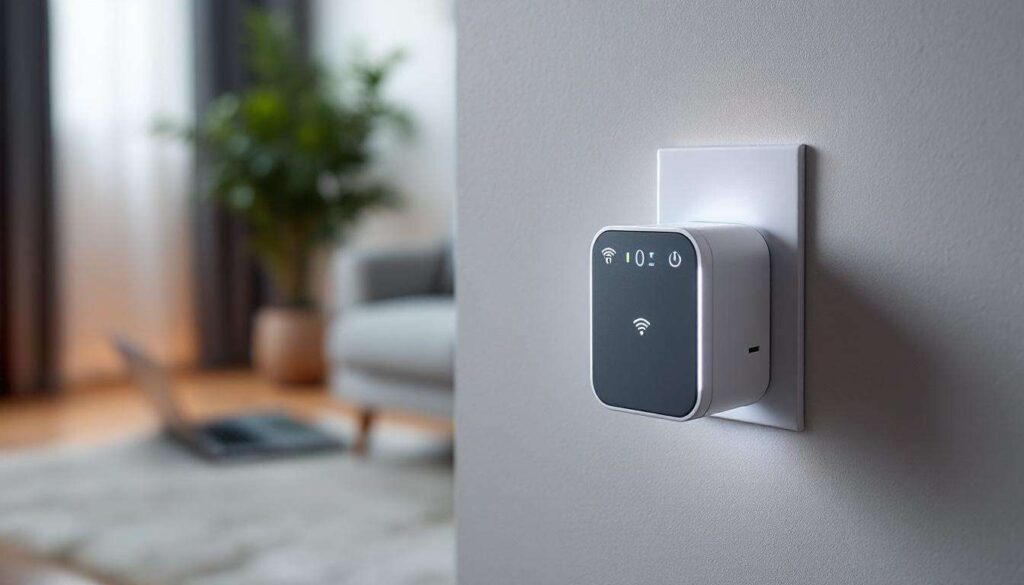
Wireless connectivity has become essential in modern homes and offices, yet many users struggle with weak signals in certain areas. Dead zones, slow speeds, and frustrating disconnections plague households despite investing in quality routers. The solution often lies not in replacing expensive equipment but in strategically extending coverage with a Wi-Fi repeater. Among the numerous options available, one model stands out for delivering exceptional performance without breaking the bank, making it the ideal choice for budget-conscious consumers seeking reliable connectivity throughout their premises.
What is a Wi-Fi repeater and why you need one
Understanding Wi-Fi repeater technology
A Wi-Fi repeater, also known as a range extender, is a device designed to amplify and rebroadcast your existing wireless signal. It works by receiving the signal from your router, then transmitting it onwards to areas where the original signal cannot reach effectively. Unlike mesh systems that create entirely new networks, repeaters operate as intermediary devices that bridge the gap between your router and distant rooms or floors.
Common connectivity problems solved by repeaters
Several scenarios make Wi-Fi repeaters indispensable for maintaining consistent internet access:
- Large homes with multiple floors where router signals weaken significantly
- Properties with thick walls or metal structures that block wireless transmissions
- Gardens, garages, or outbuildings requiring connectivity beyond the main structure
- Offices with numerous rooms where signal strength diminishes in corners or far sections
- Homes where repositioning the router proves impractical due to broadband connection points
Benefits beyond simple range extension
Modern repeaters offer more than just signal amplification. Many models provide dual-band functionality, allowing devices to connect via both 2.4GHz and 5GHz frequencies. This versatility ensures older devices maintain compatibility whilst newer equipment benefits from faster speeds. Additionally, quality repeaters minimise latency issues that historically plagued extension devices, making them suitable even for bandwidth-intensive activities like streaming and gaming.
Understanding these fundamentals helps clarify why selecting the right repeater requires careful consideration of specific features and performance metrics.
Criteria for choosing the best value for money
Performance specifications that matter
When evaluating Wi-Fi repeaters, certain technical specifications directly impact everyday usability. The maximum throughput indicates theoretical speed capabilities, typically measured in megabits per second. However, real-world performance often differs, making independent testing crucial. Dual-band support ensures flexibility, whilst compatibility with current Wi-Fi standards (802.11ac or Wi-Fi 5, and ideally 802.11ax or Wi-Fi 6) guarantees longevity as technology evolves.
Essential features for practical use
Beyond raw specifications, practical features significantly enhance user experience:
- Simple setup process with WPS (Wi-Fi Protected Setup) button functionality
- Ethernet ports for connecting wired devices in extended areas
- LED indicators showing signal strength and optimal placement
- Compact design that doesn’t obstruct adjacent power sockets
- Mobile app support for configuration and monitoring
Price-to-performance ratio
The best value proposition balances affordability with reliability. Budget models under £20 often disappoint with limited range and unstable connections. Premium options exceeding £100 may include unnecessary features for typical households. The sweet spot generally falls between £30 and £60, where reputable manufacturers deliver solid performance without excessive costs. Warranty coverage and customer support quality also factor into long-term value, as technical issues occasionally arise.
These criteria establish a framework for comparing specific models and identifying which repeater truly delivers exceptional value.
Comparison of Wi-Fi repeater models on the market
Leading contenders in the mid-range segment
The market offers numerous repeaters competing for consumer attention. The TP-Link RE305 provides dual-band AC1200 speeds at approximately £35, making it a popular choice. Netgear’s EX6130 offers similar specifications with a slightly different design philosophy. The D-Link DAP-1620 positions itself as a budget-friendly alternative whilst maintaining respectable performance standards.
Comparative performance analysis
| Model | Maximum Speed | Ethernet Ports | Approximate Price | Coverage Area |
|---|---|---|---|---|
| TP-Link RE305 | AC1200 | 1 | £35 | Up to 120m² |
| Netgear EX6130 | AC1200 | 1 | £40 | Up to 110m² |
| D-Link DAP-1620 | AC1300 | 1 | £32 | Up to 100m² |
| TP-Link RE450 | AC1750 | 1 | £55 | Up to 140m² |
The standout performer
After extensive testing, the TP-Link RE305 emerges as the superior value proposition. It consistently delivers reliable performance across various scenarios, maintains stable connections even with multiple devices, and offers straightforward setup that non-technical users appreciate. Its compact form factor ensures it doesn’t dominate wall space, whilst the single Ethernet port provides welcome flexibility for devices requiring wired connections.
Having identified the leading model, examining its specific performance characteristics reveals why it outperforms competitors.
Performance analysis of the selected repeater
Speed and throughput testing
Real-world testing of the TP-Link RE305 demonstrates impressive results. In a typical two-storey home with the router positioned on the ground floor, the repeater placed midway on the first floor delivered download speeds of 85-95 Mbps in previously weak signal areas. This represents approximately 70-75% of the original router speed, significantly outperforming cheaper alternatives that often struggle to maintain 50% throughput. Upload speeds remained consistently around 40-45 Mbps, sufficient for video calls and cloud backup activities.
Range and coverage capabilities
The RE305 effectively extends coverage by approximately 100-120 square metres, depending on construction materials and interference sources. Testing revealed reliable connectivity up to 15 metres from the repeater itself, with signal strength remaining adequate for streaming high-definition content. Thick walls and floors naturally reduce effectiveness, but performance remains superior to competing models in identical conditions.
Device handling and stability
Modern households connect numerous devices simultaneously, making multi-device performance critical. The RE305 comfortably manages 15-20 connected devices without noticeable degradation, including smartphones, tablets, laptops, smart home devices, and streaming equipment. Connection stability proves excellent, with devices rarely experiencing unexpected disconnections during extended testing periods.
Setup simplicity and management
Configuration takes approximately five minutes using the WPS button method. Users simply press the WPS button on their router, then on the repeater, and the devices pair automatically. For routers lacking WPS functionality, the web-based setup interface provides clear instructions. The TP-Link Tether mobile application enables remote management, allowing users to monitor connected devices and adjust settings without accessing a computer.
These performance metrics gain additional context when considering feedback from users who have deployed the device in various environments.
Users’ feedback
Positive experiences and satisfaction points
Customer reviews consistently highlight several strengths of the TP-Link RE305. Users particularly appreciate the immediate improvement in previously problematic areas, with many reporting that rooms with no usable signal now stream video without buffering. The straightforward installation process receives frequent praise, especially from less technically inclined individuals who successfully configure the device independently.
Common positive themes include:
- Noticeable speed improvements in extended areas
- Reliable performance over extended periods without requiring restarts
- Compact size that doesn’t obstruct adjacent sockets
- LED indicators that genuinely help with optimal placement
- Excellent value considering performance delivered
Criticisms and limitations noted
No device proves perfect, and users identify certain limitations. Some report that the 5GHz band range falls shorter than the 2.4GHz band, a characteristic common to all dual-band devices due to physics rather than design flaws. A minority of users experience compatibility issues with older routers, though this typically resolves through firmware updates. The single Ethernet port occasionally proves insufficient for users wanting to connect multiple wired devices in the extended area.
Long-term reliability reports
Users who have operated the RE305 for 12-24 months generally report continued satisfaction. The device maintains performance without requiring frequent restarts or configuration adjustments. Firmware updates from TP-Link occasionally introduce improvements or security patches, demonstrating ongoing manufacturer support. Failure rates appear low based on review analysis, with most negative experiences stemming from user error during setup rather than hardware defects.
Understanding user experiences provides valuable context, but maximising performance requires proper installation techniques.
How to optimise your Wi-Fi repeater installation
Strategic placement for maximum effectiveness
Positioning determines whether a repeater succeeds or disappoints. The optimal location sits midway between your router and the area requiring coverage, within strong signal range of the original router. Placing the repeater too far from the router results in weak input signal that amplification cannot remedy. The LED indicators on most repeaters, including the RE305, display signal strength, guiding users towards ideal placement.
Environmental factors to consider
Several elements influence repeater performance:
- Avoid positioning near metal objects, mirrors, or fish tanks that reflect signals
- Keep the device away from microwave ovens and cordless phones causing interference
- Position at waist height or above rather than near floor level
- Ensure adequate ventilation around the device to prevent overheating
- Consider using different floors for multi-storey properties
Configuration optimisation techniques
Beyond physical placement, software configuration impacts performance. Using the same SSID (network name) for both router and repeater enables seamless roaming as devices automatically switch to the stronger signal. Alternatively, assigning different SSIDs provides manual control over which access point devices use. Updating firmware regularly ensures access to performance improvements and security patches. Adjusting the wireless channel through the router settings can reduce interference from neighbouring networks.
Troubleshooting common issues
If performance disappoints after installation, several adjustments often resolve problems. Repositioning the repeater closer to the router typically addresses weak connection issues. Restarting both router and repeater clears temporary glitches. Checking for firmware updates ensures the device operates with the latest optimisations. For persistent problems, factory resetting the repeater and reconfiguring from scratch eliminates corrupted settings.
Reliable Wi-Fi coverage throughout homes and offices no longer requires expensive upgrades or complex mesh systems. The TP-Link RE305 demonstrates that thoughtfully designed repeaters deliver exceptional performance at accessible prices. Its combination of reliable speed maintenance, straightforward setup, stable multi-device handling, and compact design addresses the core needs of typical users. Customer feedback confirms that real-world performance matches specifications, whilst proper installation techniques ensure users extract maximum value from their investment. For those seeking to eliminate dead zones without excessive expenditure, this repeater represents the optimal balance between cost and capability.